


Patent Line Art Generation
Smartwatch patent line art with front, rear, side, and perspective views
Patent Line Art Generation
Turn invention descriptions, photos, sketches, and CAD screenshots into clear patent drawings. Generate line art, 3D perspective views, and flowcharts, refine the details, and download a high-resolution PNG.
Turn descriptions, photos, sketches, and CAD screenshots into patent line art, perspective views, or clear system diagrams.

Create black-and-white patent line art from an invention description.

Show product form with perspective and requested multi-view images.

Explain process steps and system connections with diagrams.

Turn a product photo into a clear patent line drawing.

Transform a hand-drawn concept into clean technical line art.

Show how product components fit together in an exploded view.
Describe an invention or upload a product photo, hand sketch, or CAD screenshot. Generate a black-and-white patent-style drawing draft, review it, and download a PNG.
Write a short description or upload a product photo, sketch, or CAD screenshot.
Request patent-style line art, a 3D-style perspective or view set, or a flowchart or block diagram.
Check geometry, labels, arrows, and relationships against your source before using the image draft.
Write a short description or upload a product photo, sketch, or CAD screenshot.
Request patent-style line art, a 3D-style perspective or view set, or a flowchart or block diagram.
Check geometry, labels, arrows, and relationships against your source before using the image draft.
Create patent-style line art, 3D product renderings with requested views, and flowcharts or block diagrams from a description or visual reference.
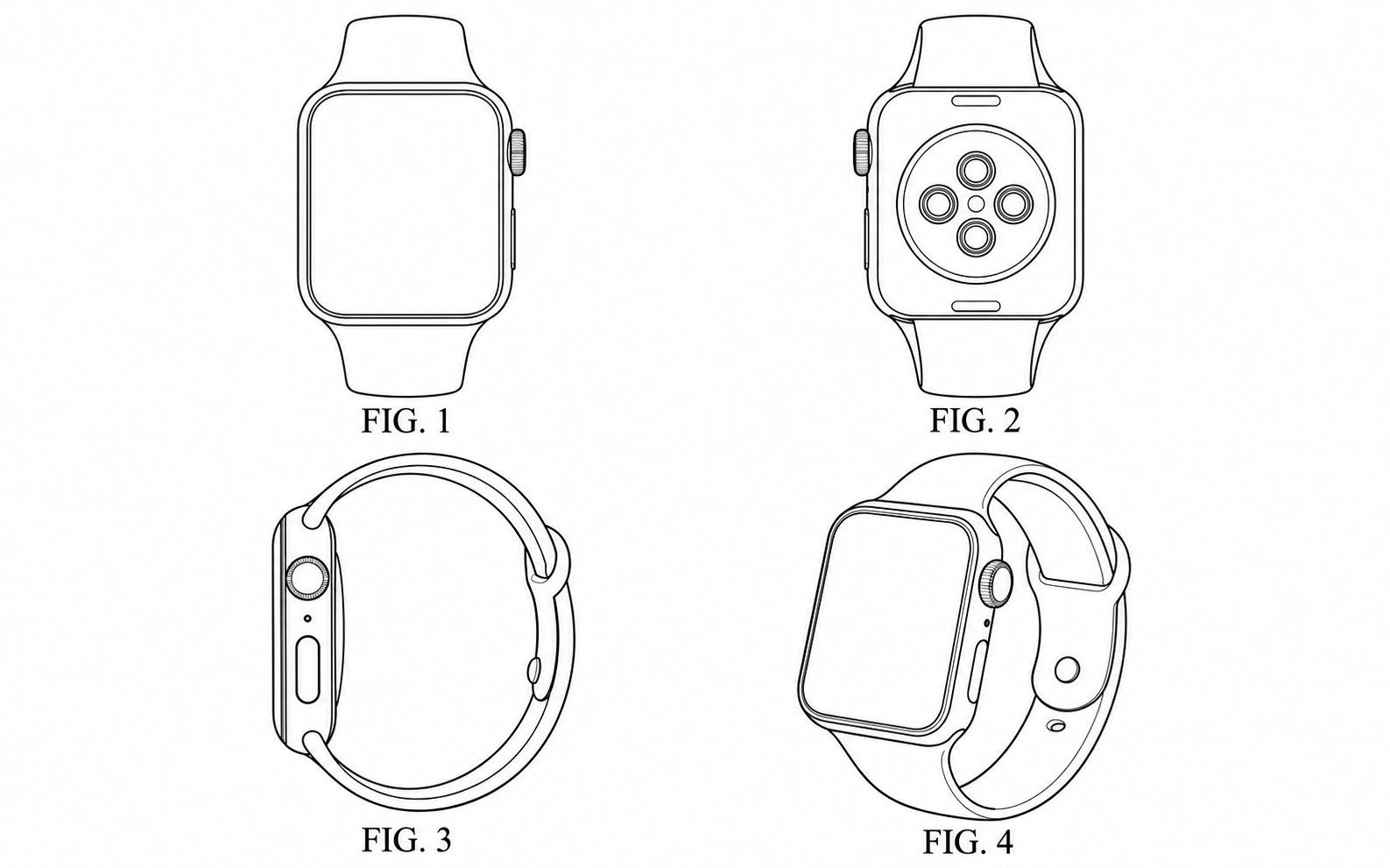
Turn a product description, photo, sketch, or CAD screenshot into a clean black-and-white line-art draft. Name the view and the details to preserve, then inspect the PNG against the real invention.
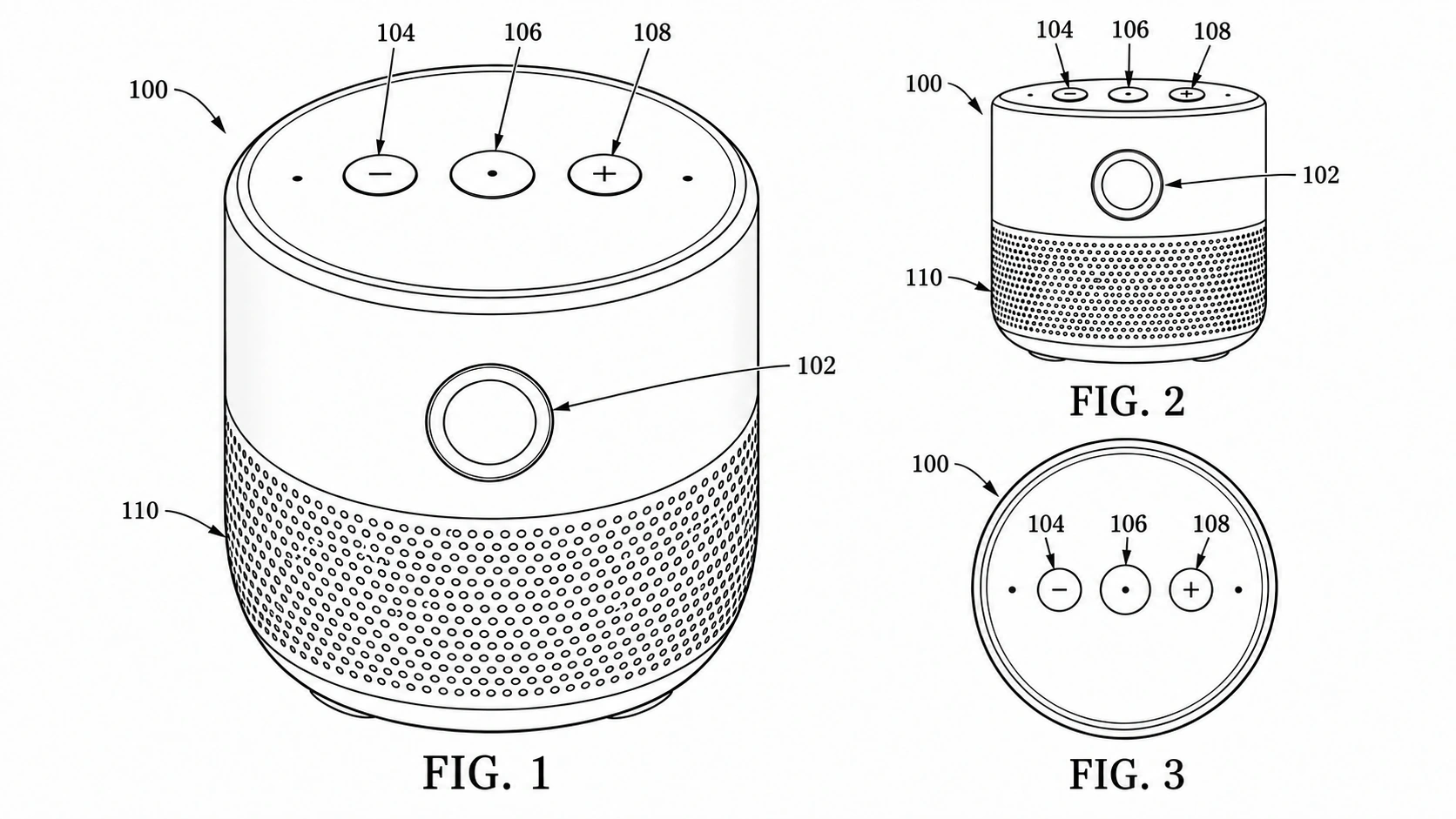
Show the product form with a 3D-style perspective rendering and request front, rear, side, top, or exploded views. Each result is a flat PNG image, not a rotatable 3D model or editable CAD file.
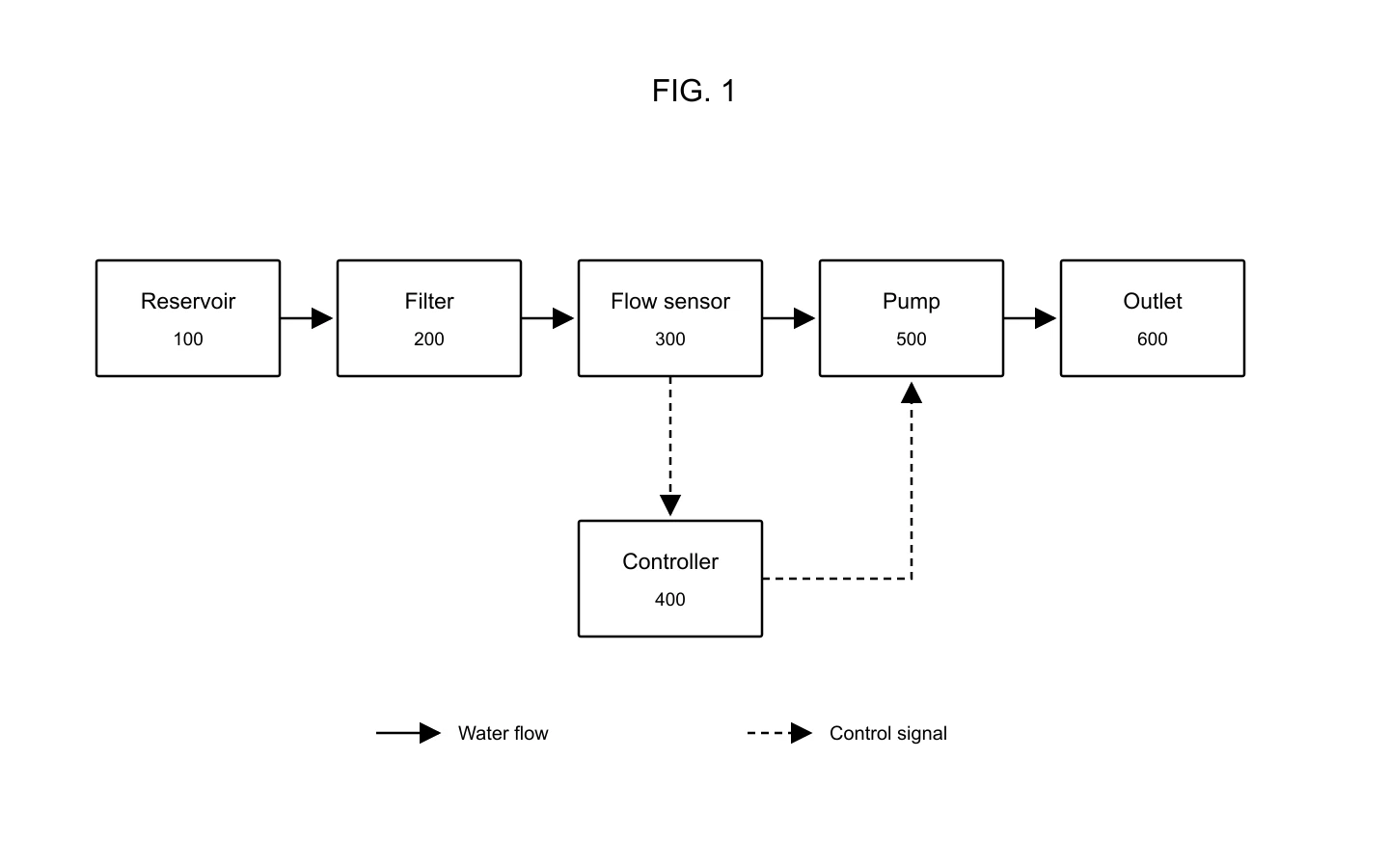
Describe system components, process stages, and how they connect to create a flowchart or functional block-diagram draft. Check every arrow, label, and relationship before using the PNG in a patent workflow.
Explore generated line-art drafts and reference inputs. Each example is a visual starting point for human review.
Smartwatch patent line art with front, rear, side, and perspective views
Smart speaker perspective, orthographic, and exploded patent drawing views
Water filtration block diagram with a reservoir, filter, flow sensor, pump, outlet, and controller
A cordless drill with perspective, side, and separated component views.
A reusable filter bottle shown in perspective beside its removable cartridge.
Separated components arranged around an assembly axis.
A product photo used as a visual starting point.
A monochrome drawing draft based on the same product reference.
A hand-drawn desk-lamp concept used as a reference.
A cleaner line-art interpretation of the lamp concept.
A pipe-clamp CAD viewport with a model tree, used as an image reference.
A neutral mechanical device drawing draft for review.
A focused way to illustrate products, assemblies, and processes—from your first reference to a downloadable PNG.
Evaluation point | PatentDrawing | What to consider |
|---|---|---|
Drawing workflows | Patent line art, 3D-style perspective and views, flowcharts, and block diagrams | Describe the required view and visible components. |
Starting material | Text descriptions, product photos, sketches, and CAD screenshots | Use references you own or have permission to upload. |
Visual direction | Prompts tailored to monochrome technical drawings and system diagrams | Check that geometry and component relationships match the invention. |
Download format | PNG downloads for sharing, review, and further preparation | PNG images do not contain editable vector layers. |
Refine your result | Adjust your prompt or reference and generate another version | Each new generation uses the applicable credits. |
Filing compliance | Does not certify patent-office compliance; verify applicable rules | Review the target patent office’s rules before filing. |
Compare subscription plans and one-time credit packs for AI patent drawing generation. Every generated image downloads as PNG and should be reviewed before use.
For occasional patent drawings.
Includes
For regular invention and product workflows.
Includes
For frequent, high-volume image generation.
Includes









Fictional example profiles using stock-library portraits. These illustrate possible workflows; the people pictured are not verified customers or endorsers.
A prototype photo is a much easier starting point for me than a blank canvas. I can focus on explaining the shape instead of drawing every outline.

Maya Chen
The perspective view makes our product idea easier to discuss. I still compare the front and top views carefully, but having something visual helps the conversation.

Daniel Brooks
I like using an exploded view to talk through an assembly. Seeing the pieces separated helps me explain what connects to what.

Aisha Morgan
For a mechanism, I want the important parts to be visible without a distracting background. Clean black-and-white line art suits that discussion well.

Arjun Patel
My first sketches are usually rough. Being able to use one as a reference makes it easier to develop the idea into a clearer technical illustration.

Sophie Laurent
A flowchart helps me explain the sequence before getting into the details. I keep the labels short and check each arrow against the process.

Kenji Sato
I find it easier to describe one correction at a time. A clearer prompt gives me a useful way to work through the drawing step by step.

Noah Williams
A CAD screenshot is a convenient reference when the shape already exists. I check that the resulting drawing keeps the visible features that matter.

Ethan Reed
I appreciate having the image as a PNG. It is straightforward to include it in a document when I need feedback on a product concept.

Emily Carter
For a hinged product, the side view tells a different story from the perspective view. I like being able to request the angle that explains the movement.

Lucas Martin
Reference numbers make a component discussion easier to follow. I specify the mapping in my prompt and double-check the numbers in the image.

Lily Anderson
A block diagram is a good way to start a system discussion. It helps me separate the physical components from the connections between them.

Oliver Grant
I prefer a simple white background for technical illustrations. It keeps the attention on the product rather than the presentation around it.

Henry Wilson
The photo-to-drawing approach fits the way I work with prototypes. I use the actual object as the reference and compare the outline before sharing.

Samuel Price
I want the drawing to communicate the mechanism, not just look impressive. A cutaway-style view is useful when I need to explain what is inside.

James Walker
For a portable device, a three-quarter view is often the clearest introduction. It lets me show the overall form and the controls in one image.

Leo Rossi
I start with the larger parts and add details to the prompt as the concept becomes clearer. That feels more manageable than specifying everything at once.

Grace Kim
I like keeping process diagrams concise. Clear boxes, short labels, and the right arrow directions make the system easier to explain.

Chloe Dubois
The examples give me ideas for how to describe the view I need. I adapt the prompt to my own product rather than starting from a generic illustration.

Alex Morgan
I use these images to prepare a clearer discussion with a drawing professional. Geometry, numbering, and filing layout still get a separate review.

Nina Fischer
A prototype photo is a much easier starting point for me than a blank canvas. I can focus on explaining the shape instead of drawing every outline.
Maya Chen
The perspective view makes our product idea easier to discuss. I still compare the front and top views carefully, but having something visual helps the conversation.
Daniel Brooks
I like using an exploded view to talk through an assembly. Seeing the pieces separated helps me explain what connects to what.
Aisha Morgan
For a mechanism, I want the important parts to be visible without a distracting background. Clean black-and-white line art suits that discussion well.
Arjun Patel
My first sketches are usually rough. Being able to use one as a reference makes it easier to develop the idea into a clearer technical illustration.
Sophie Laurent
A flowchart helps me explain the sequence before getting into the details. I keep the labels short and check each arrow against the process.
Kenji Sato
I find it easier to describe one correction at a time. A clearer prompt gives me a useful way to work through the drawing step by step.
Noah Williams
A CAD screenshot is a convenient reference when the shape already exists. I check that the resulting drawing keeps the visible features that matter.
Ethan Reed
I appreciate having the image as a PNG. It is straightforward to include it in a document when I need feedback on a product concept.
Emily Carter
For a hinged product, the side view tells a different story from the perspective view. I like being able to request the angle that explains the movement.
Lucas Martin
Reference numbers make a component discussion easier to follow. I specify the mapping in my prompt and double-check the numbers in the image.
Lily Anderson
A block diagram is a good way to start a system discussion. It helps me separate the physical components from the connections between them.
Oliver Grant
I prefer a simple white background for technical illustrations. It keeps the attention on the product rather than the presentation around it.
Henry Wilson
The photo-to-drawing approach fits the way I work with prototypes. I use the actual object as the reference and compare the outline before sharing.
Samuel Price
I want the drawing to communicate the mechanism, not just look impressive. A cutaway-style view is useful when I need to explain what is inside.
James Walker
For a portable device, a three-quarter view is often the clearest introduction. It lets me show the overall form and the controls in one image.
Leo Rossi
I start with the larger parts and add details to the prompt as the concept becomes clearer. That feels more manageable than specifying everything at once.
Grace Kim
I like keeping process diagrams concise. Clear boxes, short labels, and the right arrow directions make the system easier to explain.
Chloe Dubois
The examples give me ideas for how to describe the view I need. I adapt the prompt to my own product rather than starting from a generic illustration.
Alex Morgan
I use these images to prepare a clearer discussion with a drawing professional. Geometry, numbering, and filing layout still get a separate review.
Nina Fischer
Create patent line art, 3D perspective views, and flowcharts from your ideas or reference images. Refine your image and download a high-resolution PNG.