
Water filtration: functional block diagram
Reservoir, filter, sensor, pump, and outlet blocks show the water path. A separate controller connection distinguishes control signals from material flow.
Generate a patent flowchart or block diagram from a written process description. Define components, sequence, and connections, then review and download a monochrome PNG draft.
Free to try ·
Your patent drawing will appear here
Describe the view and components to generate a PNG for review.
Generate a patent flowchart or block diagram from a written process description. Define components, sequence, and connections, then review and download a monochrome PNG draft.
List each functional block and specify the direction of every connection. Distinguish water flow from controller signals with a stated arrow convention.
Write the steps in order and state the condition at each decision. Give every branch a destination, including failures and returns.
Check step order, arrow direction, decision labels, and feedback paths. PNG output is a flat diagram; verify any filing requirements separately.
List each functional block and specify the direction of every connection. Distinguish water flow from controller signals with a stated arrow convention.
Write the steps in order and state the condition at each decision. Give every branch a destination, including failures and returns.
Check step order, arrow direction, decision labels, and feedback paths. PNG output is a flat diagram; verify any filing requirements separately.
Distinguish a functional water-system diagram, a step-by-step process and a sensor feedback loop. In-image labels follow the language shown in each preview.
Reservoir, filter, sensor, pump, and outlet blocks show the water path. A separate controller connection distinguishes control signals from material flow.
A step-by-step process diagram shows operation order and decision branches. Read each arrow as a defined transition, not just a decorative connection.
A threshold decision sends a YES branch to the actuator and a NO branch back to measurement. This example uses English diagram labels and shows where loop direction matters.
Map system components and connection types · Define process order and decision branches · Verify the threshold and feedback path
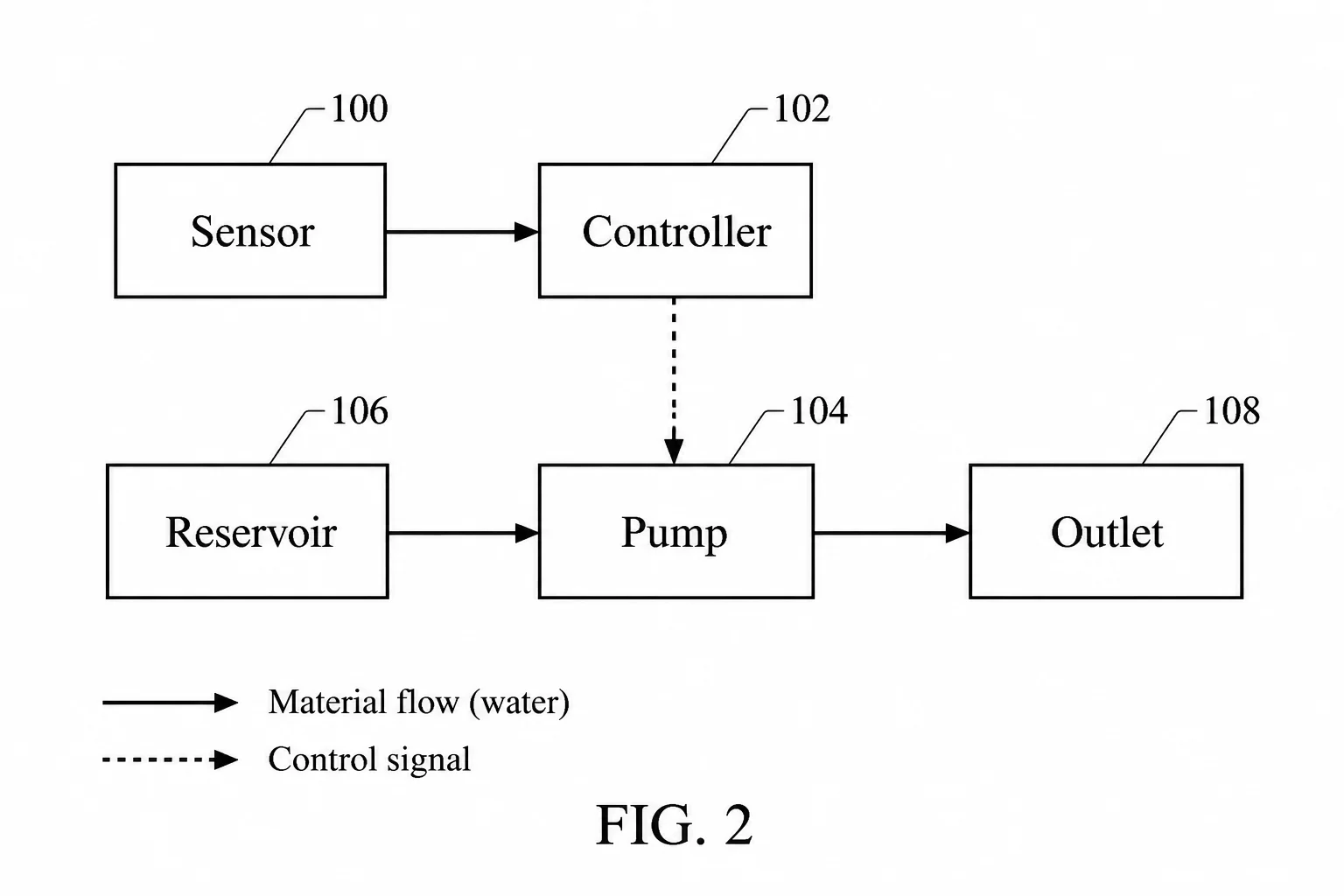
List each functional block and specify the direction of every connection. Distinguish water flow from controller signals with a stated arrow convention.
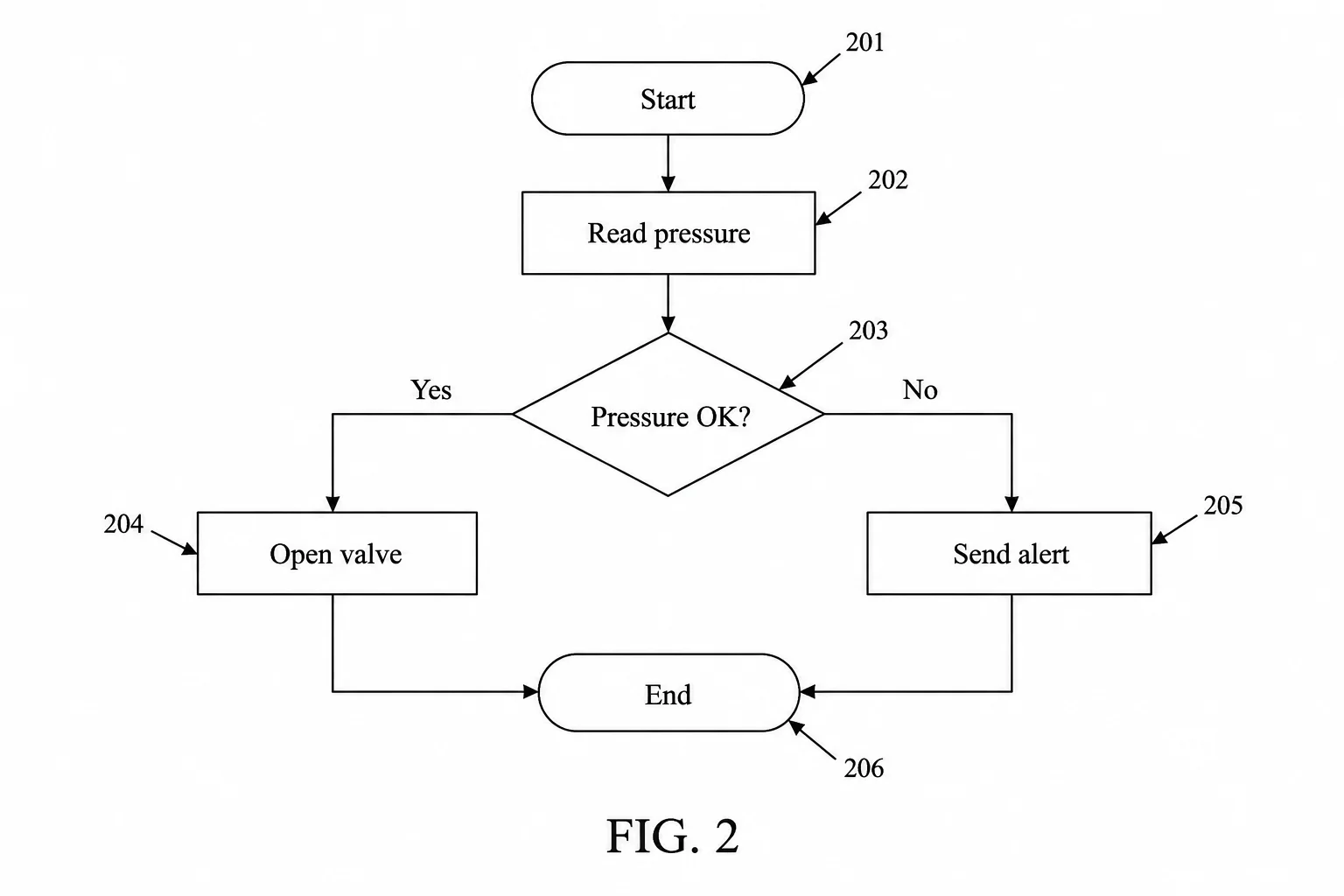
Write the steps in order and state the condition at each decision. Give every branch a destination, including failures and returns.
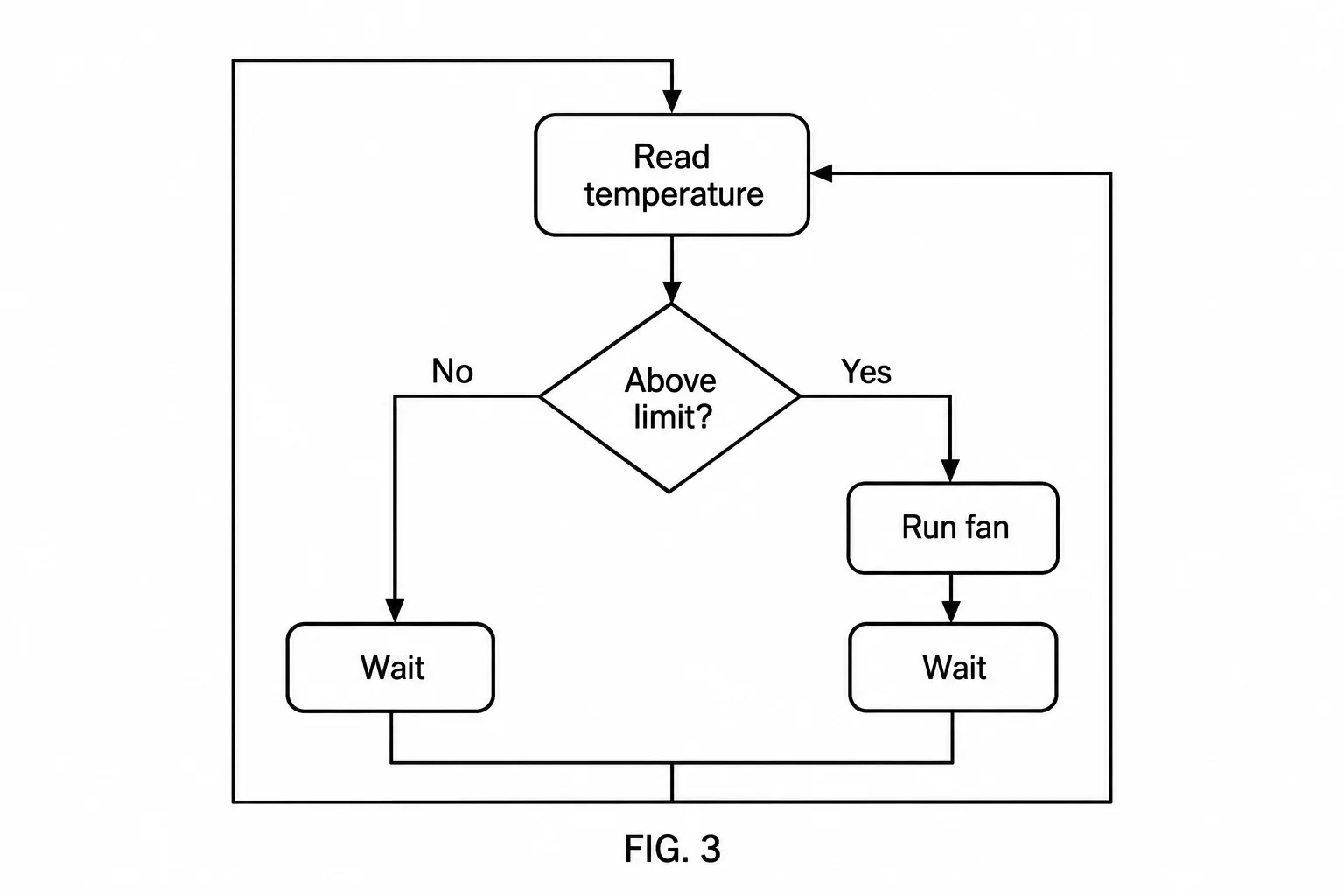
State what happens above and below the threshold. Trace the YES and NO arrows from their decision to the next step and check where the loop returns.
Compare subscription plans and one-time credit packs for AI patent drawing generation. Every generated image downloads as PNG and should be reviewed before use.
For occasional patent drawings.
Includes
For regular invention and product workflows.
Includes
For frequent, high-volume image generation.
Includes









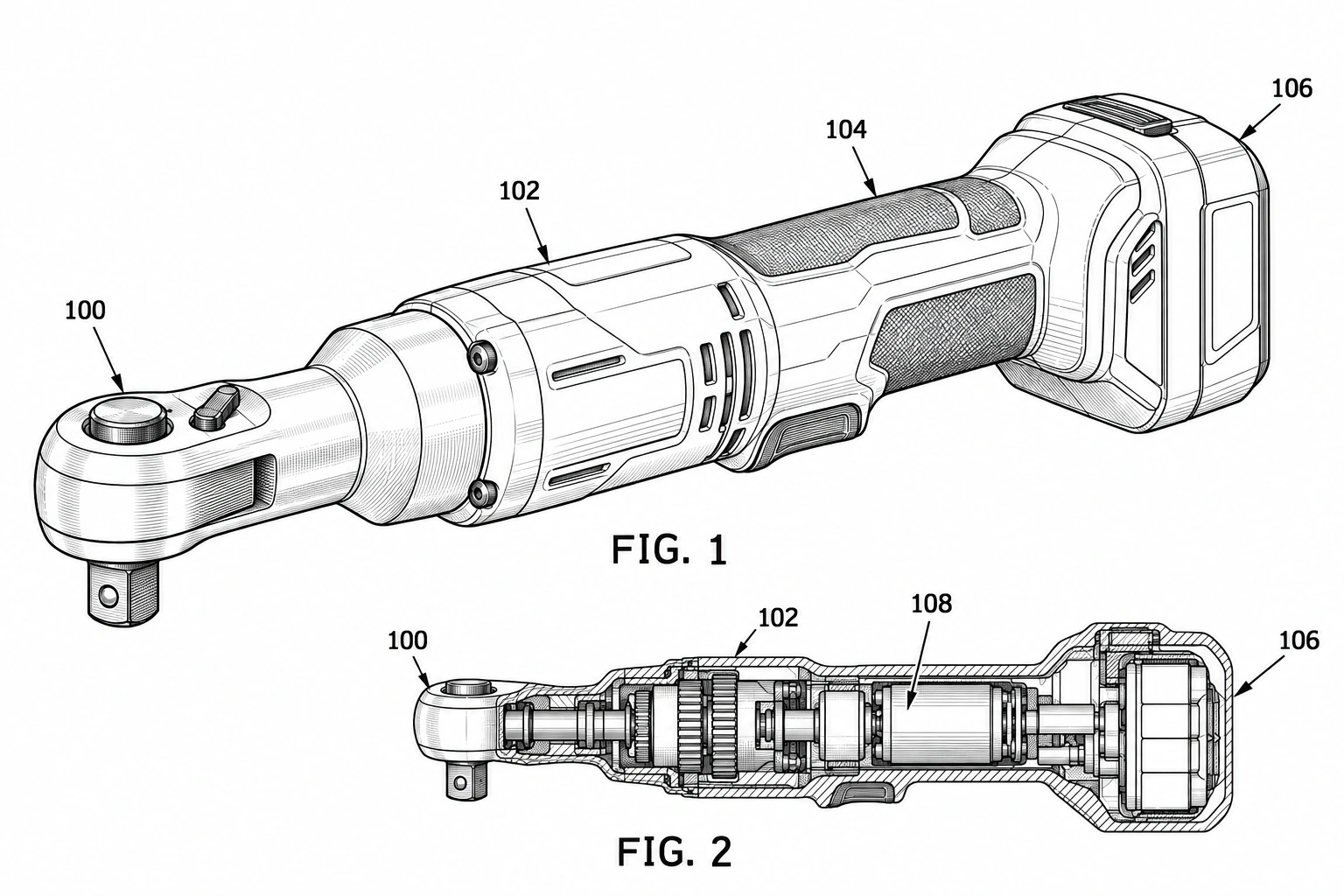 Patent drawing
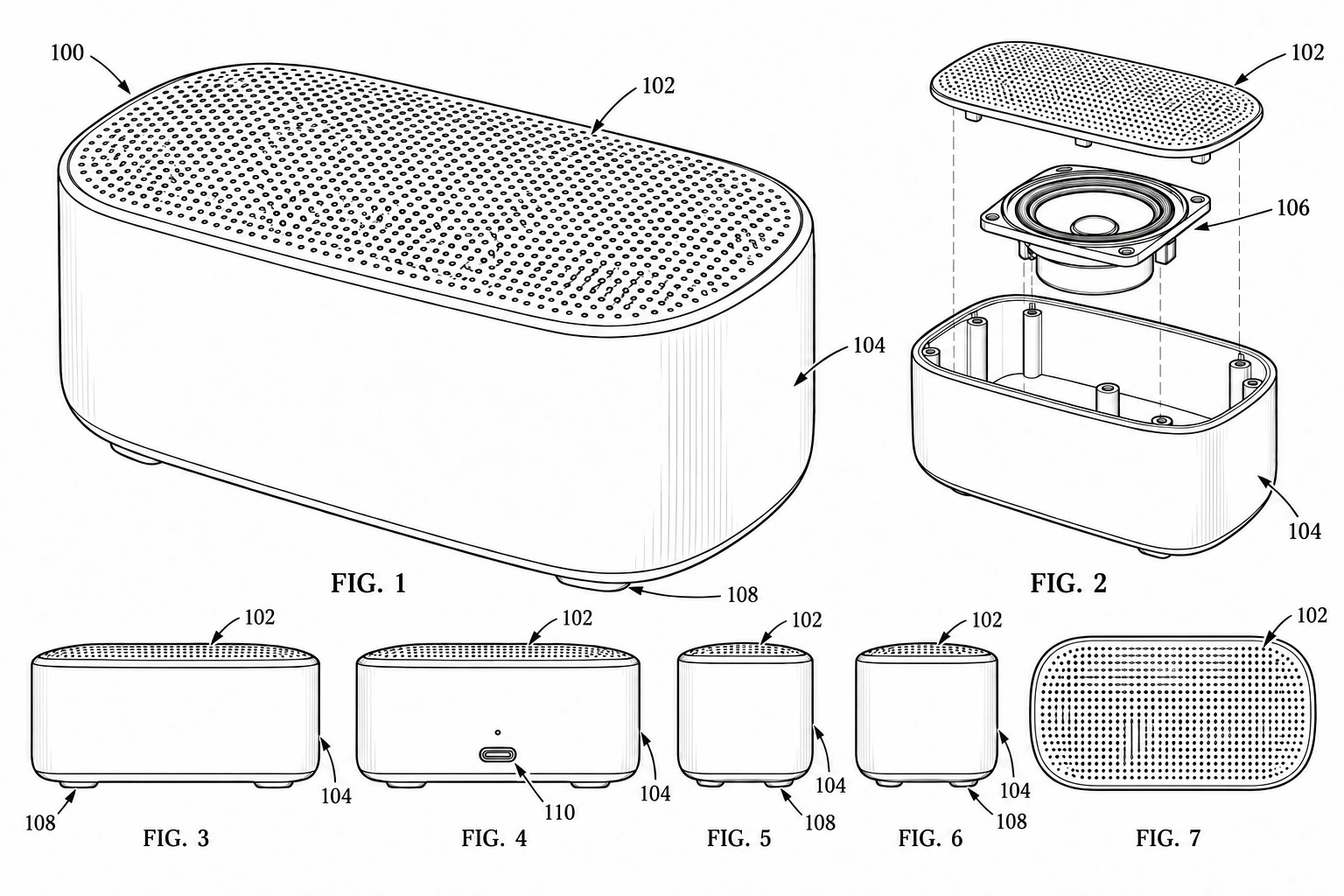
Create a monochrome patent-style drawing from a product description.
 Patent drawing
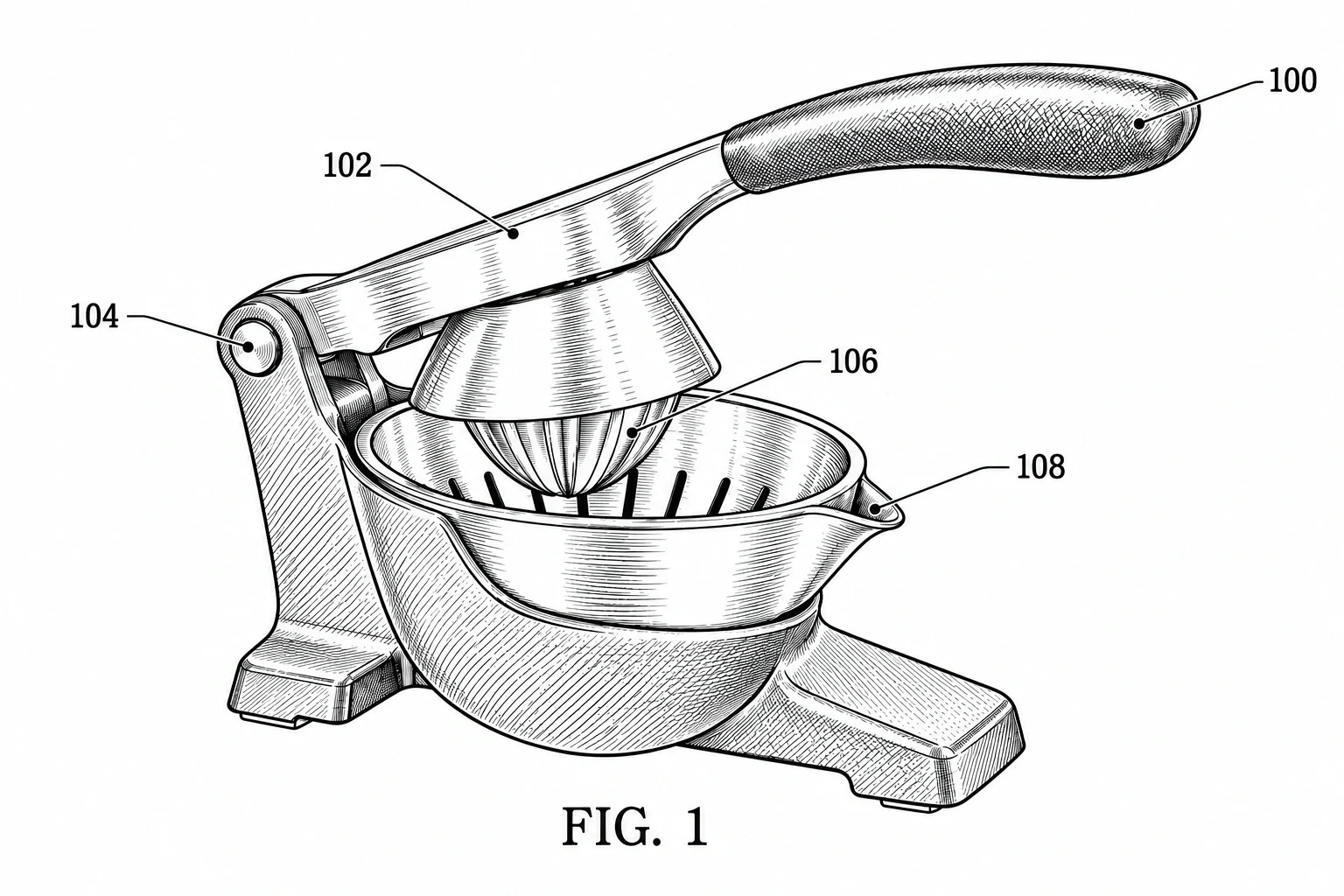
Show a product with a 3D-style perspective or requested view in a flat PNG.
 Patent drawing
Use a product photo as a visual reference for a patent-style drawing draft.